
Allows for markdown to be defined within Node-RED editor and rendered into the UI. Can be used for rendering labels, headers or even full blog articles.
You can inject msg values into the markdown using:
{{ msg?.payload }}
This will be replaced with the value of msg?.payload when a message is received to the node. If you'd like to have a placeholder value before a message is received you can use:
{{ msg?.payload || 'Placeholder' }}
If you're looking for a quick cheat sheet on how to write Markdown, you can check out FlowFuse's guide here.
Properties
| Prop | Dynamic | Description |
|---|---|---|
| Group | Defines which group of the UI Dashboard this widget will render in. | |
| Content | The markdown to be passed to the UI and rendered |
Dynamic Properties
Dynamic properties are those that can be overriden at runtime by sending a particular msg to the node.
Where appropriate, the underlying values set within Node-RED will be overriden by the values set in the received messages.
| Prop | Payload | Structures | Example Values |
|---|---|---|---|
| Class | msg.class | String |
Example
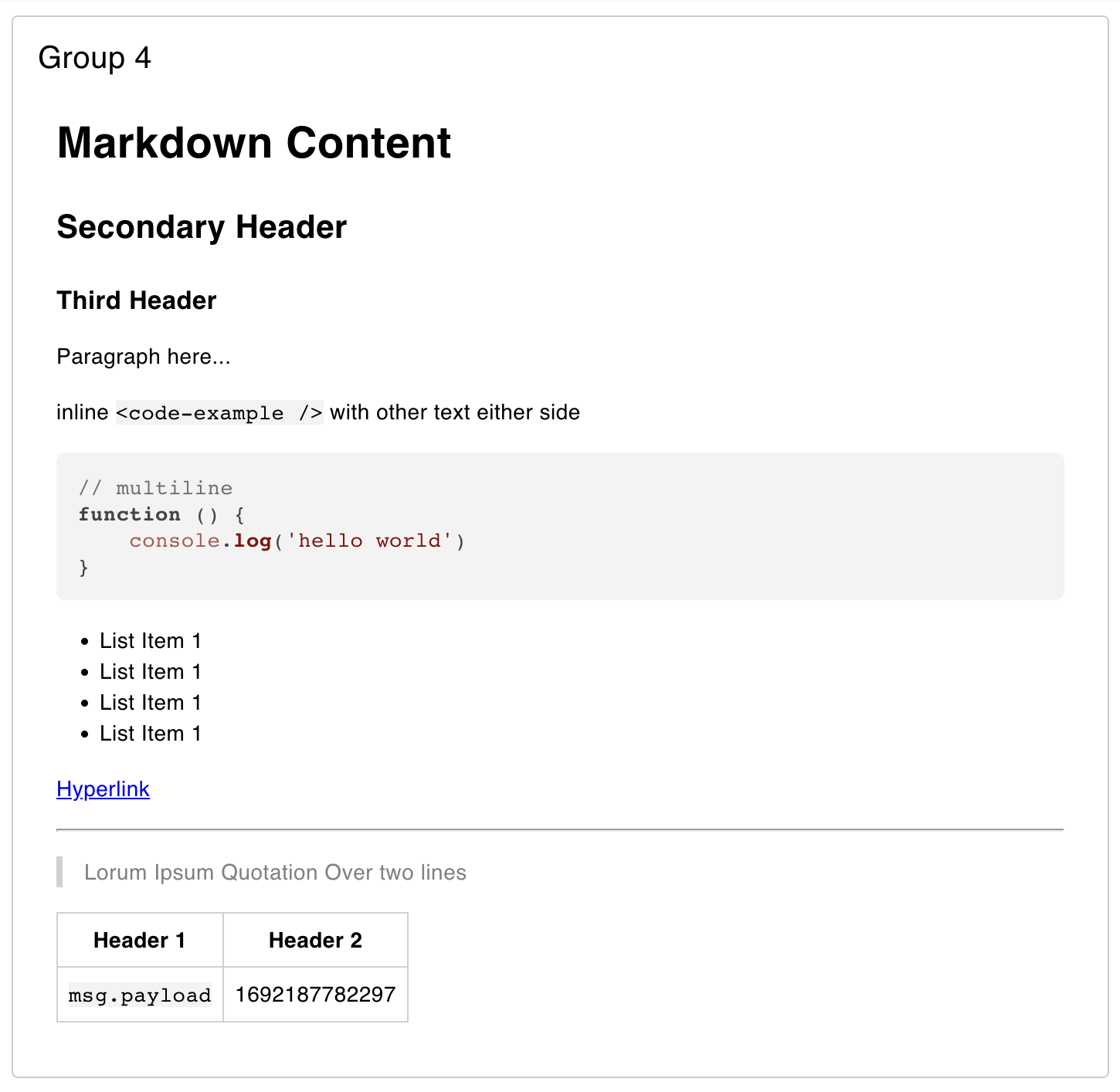 Example of rendered markdown in a Dashboard.
The above example is rendered using the following markdown:
# Markdown Content

## Secondary Header

### Third Header

Paragraph here...

inline `<code-example />` with other text either side

```js
// multiline
function () {
    console.log('hello world')
}
```

- List Item 1
- List Item 1
- List Item 1
- List Item 1

[Hyperlink](https://news.bbc.co.uk)

---

> Lorum Ipsum Quotation Over two lines

| Header 1 | Header 2 |
|-|-|
| `msg.payload` | {{ msg.payload || 'Placeholder' }} |
Mermaid Charts Added In: v0.5.0
The ui-markdown widget also supports the injection of Mermaid. To do so, you can include a mermaid chart definition inside a Markdown fenced code block, defined with the mermaid type:
# Here is some Markdown

and here is a definition for a Mermaid Chart:

```mermaid
graph TD;
    A-->B;
    A-->C;
    B-->D;
    C-->D;
```
Dynamic Mermaid Charts
It is also possible to inject msg values into the mermaid chart definition using mustache templating as with the standard Markdown definition, e.g:
# Here is some Markdown

and here is a definition for a Mermaid Chart:

```mermaid
pie title NETFLIX
         "Time spent looking for movie" : {{ msg.payload }}
         "Time spent watching it" : 10
```
Dashboard will then render the mermaid chart in place of the code block, e.g:
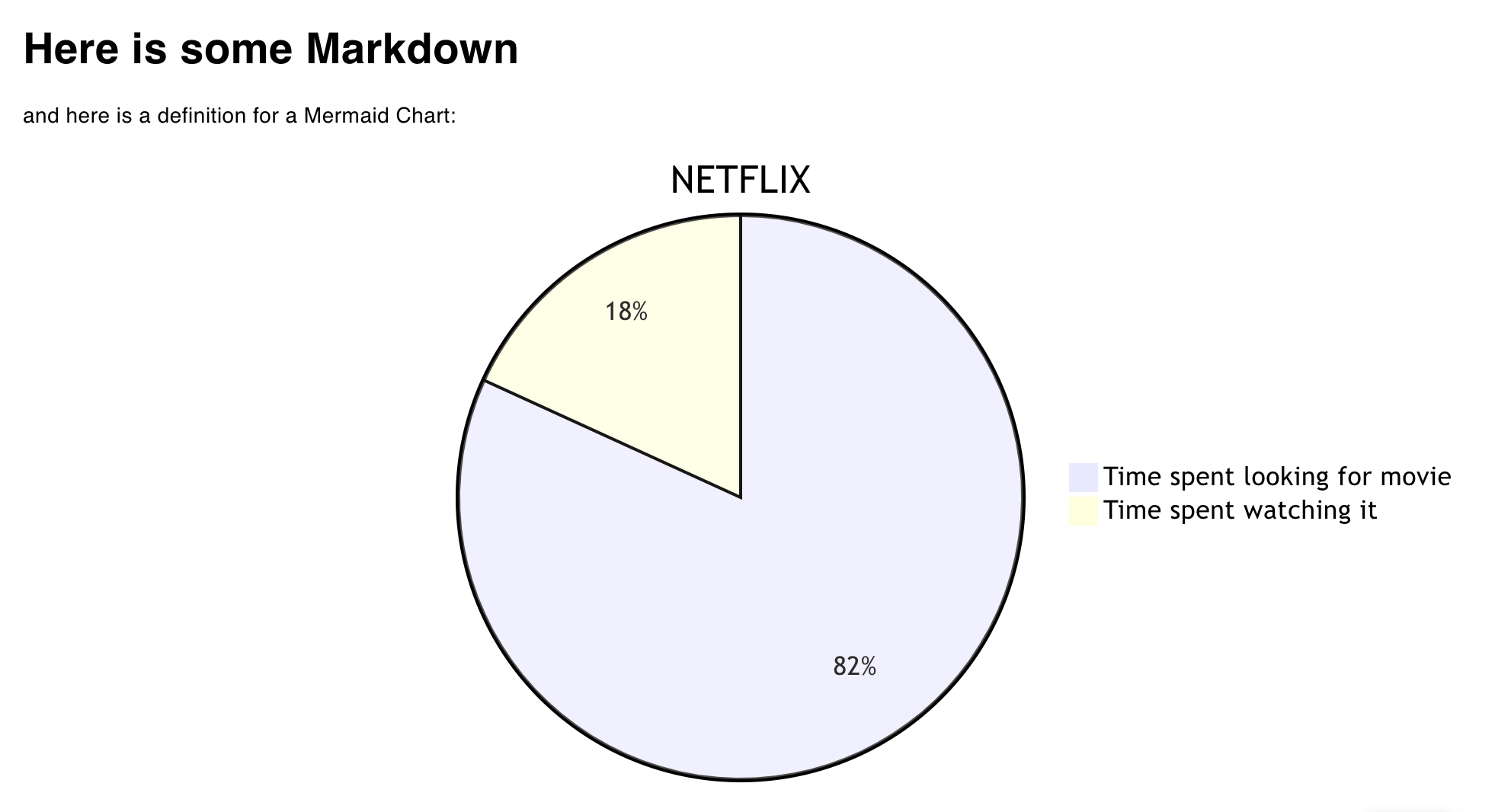 Example of a Mermaid Chart in Dashboard.
Overriding Charts
You can use msg to completely redefine a mermaid chart, however, you must include the initial code fence, with mermaid type in the ui-markdown editor, e.g:
```mermaid
{{ msg.payload }}
```
The content of msg.payload in this case can then be a definition of any Mermaid Chart, without the surrounding code fence, e.g:
pie title NETFLIX
         "Time spent looking for movie" : {{ msg.payload }}
         "Time spent watching it" : 10